
There's a moment every cruiser knows. You wake up in the middle of the night because something sounds different, and you lie there running an inventory in your head. Is that the fridge cycling or the bilge pump? Did the anchor drag? Are the batteries good? On most boats the answer involves getting up, finding a flashlight, opening a panel, and squinting at four different displays that were each designed by a company that had never met the other three.
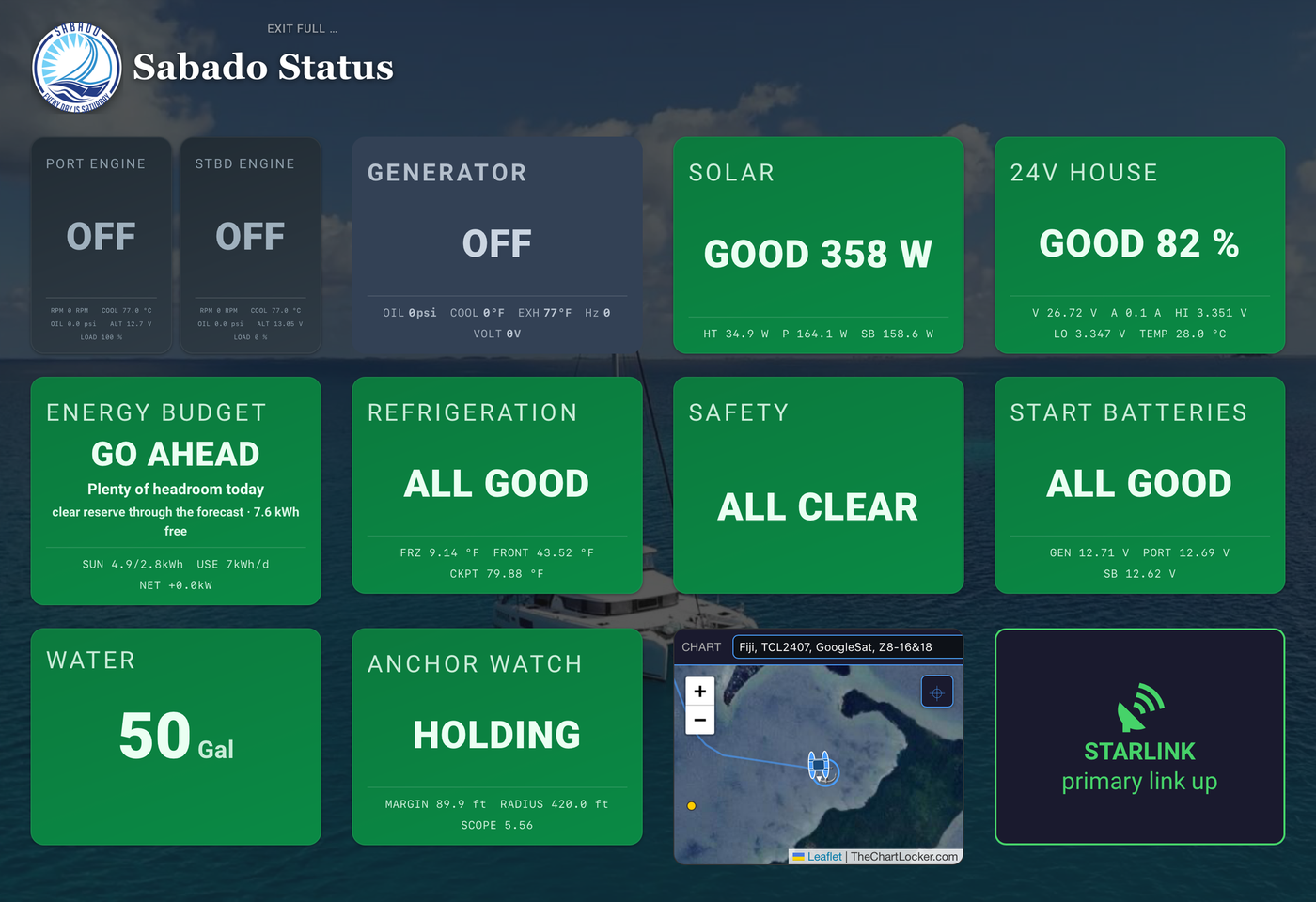
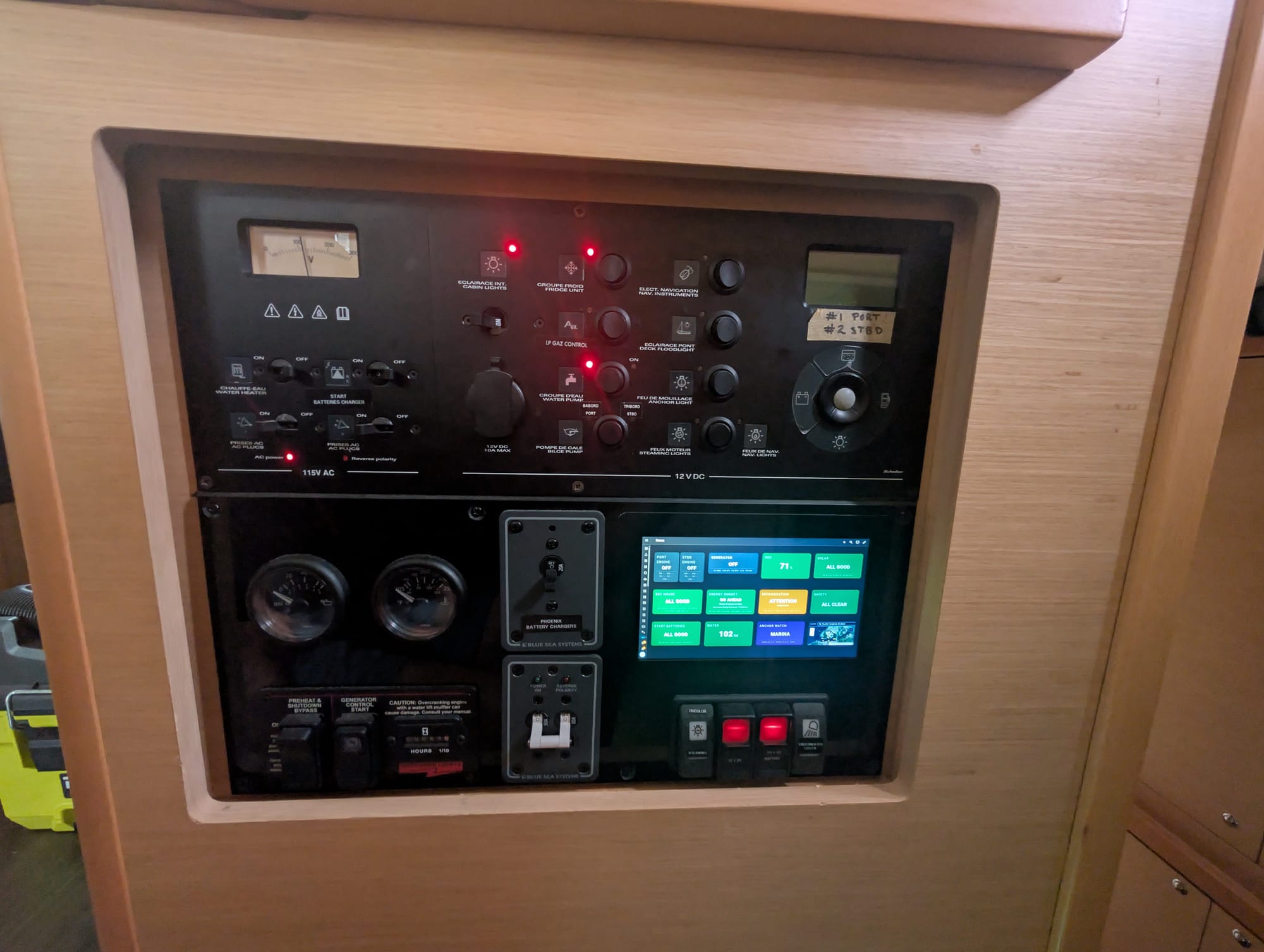
We got tired of that. So over the last couple of years the monitoring aboard Sabado has been rebuilt around a single idea: one screen should be able to answer the question "are we okay?" in under two seconds, from across the saloon, without me putting my glasses on.
Behind that screen, the status cards are reading somewhere around ninety separate values. What you see is around dozen tiles. The compression is the whole point, and the rest of this post is really about how we decided what gets thrown away.
Data is not information
The systems on the boat generate an enormous amount of data. Two engines, a 24V/1035Ah lithium bank, solar charge controllers, a generator, tank senders, bilge sensors, anchor alarms, smoke and CO detectors, AIS, GPS, refrigeration, air conditioning. Every one of those is happy to tell you a number.
The trap is thinking that more numbers means more safety. A wall of gauges is a wall you have to interpret, and interpretation takes attention you may not have when you need it most. Any dashboard that requires you to remember that 26.9 volts is fine but 24.1 volts is not has pushed the hard part of the job back to you.
So the rule we settled on is that the boat's systems do the interpreting. A sensor reading is raw data. A sensor reading compared against a threshold, in context, is information. Only information goes on the screen.
In practice that means every system on Sabado resolves to one of three states: green, amber, red. Green means no action. Amber means look at this today. Red means look at this now. If a system can't honestly be reduced to one of those three, then we haven't thought hard enough about what the number actually means. As it turned out, there was a fourth state we didn't see coming, but I'll come back to that.
For the Techies: this is implemented as a custom Lovelace card in Home Assistant,
sabado-status-card.js, written in vanilla JavaScript. Rather than hardcoding logic per system, it defines a small set of reusable check types: booleans, banded ranges, differentials, alarm flags, state matches, and a couple of special cases for safety devices and refrigeration. Each system tile is then just a declaration of which entities to watch and what the bands are. Adding a new system is a config change, not a code change.
The thresholds are the actual work
Writing the card took a few evenings. Getting the thresholds right has taken months, and it isn't finished.
Take the house bank. State of charge warns below 30 percent and goes critical below 15. But SOC alone is a lousy health metric for lithium, so the card also watches maximum cell voltage, minimum cell voltage, the spread between them, cell temperatures, and whether all three battery modules are reporting in. A pack sitting at a comfortable 80 percent with a 0.12V cell spread has a problem that SOC will never show you.
Fresh water goes amber at 15 gallons and red at 10. Engine start batteries, which are Odyssey AGM, are good at 12.4V and up, low below 12.2, critical below 11.8. Solar expects three controllers online during daylight and checks aggregate output. Safety devices get the simplest rule on the boat: any smoke, CO, bilge, or engine room sensor that's tripped or offline turns the tile red, and a detector reporting under 20 percent battery turns it amber.
That "or offline" part matters more than we initially thought, and it leads to an important thing I've learned building this.
A sensor that stops reporting is not good news
The default failure mode of a lot of monitoring systems is silence. The feed drops, the display shows the last known value or a dash, and everything looks fine. For us, that's exactly backwards. Missing data should be treated as bad data until proven otherwise.
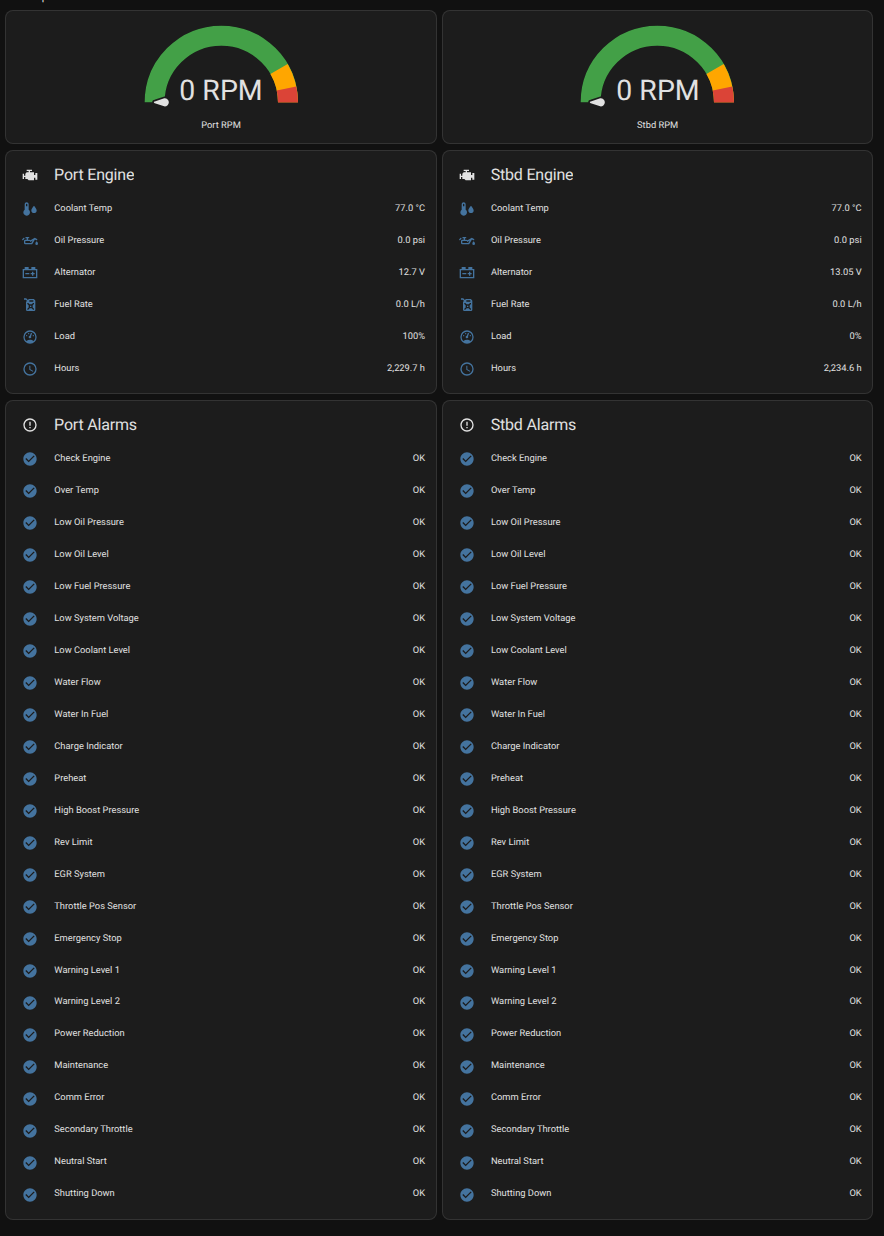
We learned this while working on the engine alarms. Each Yanmar reports twenty-four separate alarm flags, plus RPM, coolant temperature, oil pressure, alternator voltage and load. Twenty-nine values per engine, fifty-eight for the pair, and they resolve to two tiles that spend most of their life saying nothing at all. That compression is the whole design working.
Except at first it wasn't. Every port and starboard engine alarm on Sabado read "alarm" whenever the engines were off, because the underlying data path went unavailable and the templates evaluated to nothing. Two permanently red tiles. Within a week I had stopped seeing them, which is the worst possible outcome for an alarm system. An alarm you've learned to ignore is worse than no alarm at all, because it costs you attention and gives you nothing back.
Instead of suppressing those alarms, we gated them. Engine alarms are only evaluated when the engine is actually running (I know, that sounds basic), defined as RPM at or above 350. We had to choose a non-zero RPM value because of how quickly the sensors are lost on engine shutdown. Below that threshold the tile is neutral, not green and not red, because we genuinely don't know and pretending otherwise is a lie. The same logic applies to the anchor watch, which reads OFF rather than ALARM if its feed drops.
Similarly, the cockpit fridge reads around 77 degrees most of the time. The sensor is fine. The fridge is just switched off, and the card knows the difference between "warm" and "off" and shows it as neutral rather than screaming about a fault.
Neutral is that fourth state, and it turned out to be a surprisingly useful one. Sometimes the honest answer is "not applicable right now," and a system should be allowed to say so.
From status to forecast
Knowing where you stand right now is only part of the job. The more useful question, especially when it comes to our power, is where you're going to be.
The energy card does this. It takes the pack capacity, applies a reserve floor, works out actual daily consumption from measured discharge history, pulls a solar forecast built from irradiance data at the boat's real GPS position, and projects the state of charge forward three days. Then it finds the tightest point, the overnight trough where the bank will be lowest, and reports that.
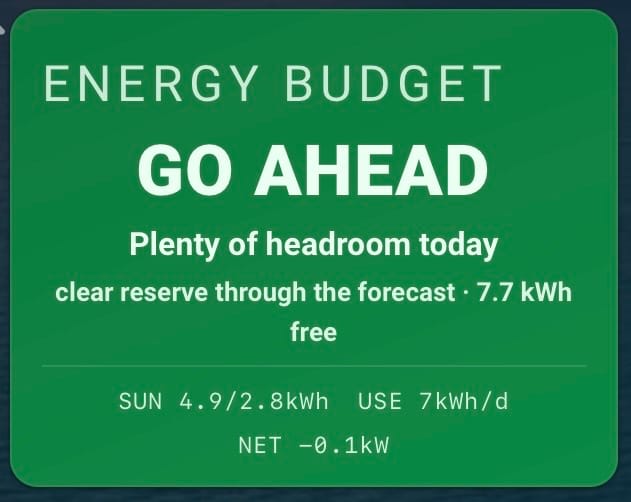
The framing we landed on for the day to day version is deliberately non-technical. It answers a question Holly and I actually ask each other, which isn't "what will SOC be at 0400 on Thursday" but "can I cook?" So the card converts the headroom above the reserve floor into meals and says GO AHEAD, ONE MEAL, GO EASY, or CONSERVE.
For the Techies: the same model also runs as a standalone Home Assistant template sensor whose state is the three-day trough SOC, with attributes for end-of-day SOC across the horizon, the overnight low and which night it falls on, whether the generator will be needed and when it first crosses the line, daily load, and the solar terms. Keeping it as a sensor rather than burying it in card logic means automations and anything else aboard can act on the same numbers the display shows.
What this is not
It's worth being clear about something before anyone builds a version of this for their own boat.
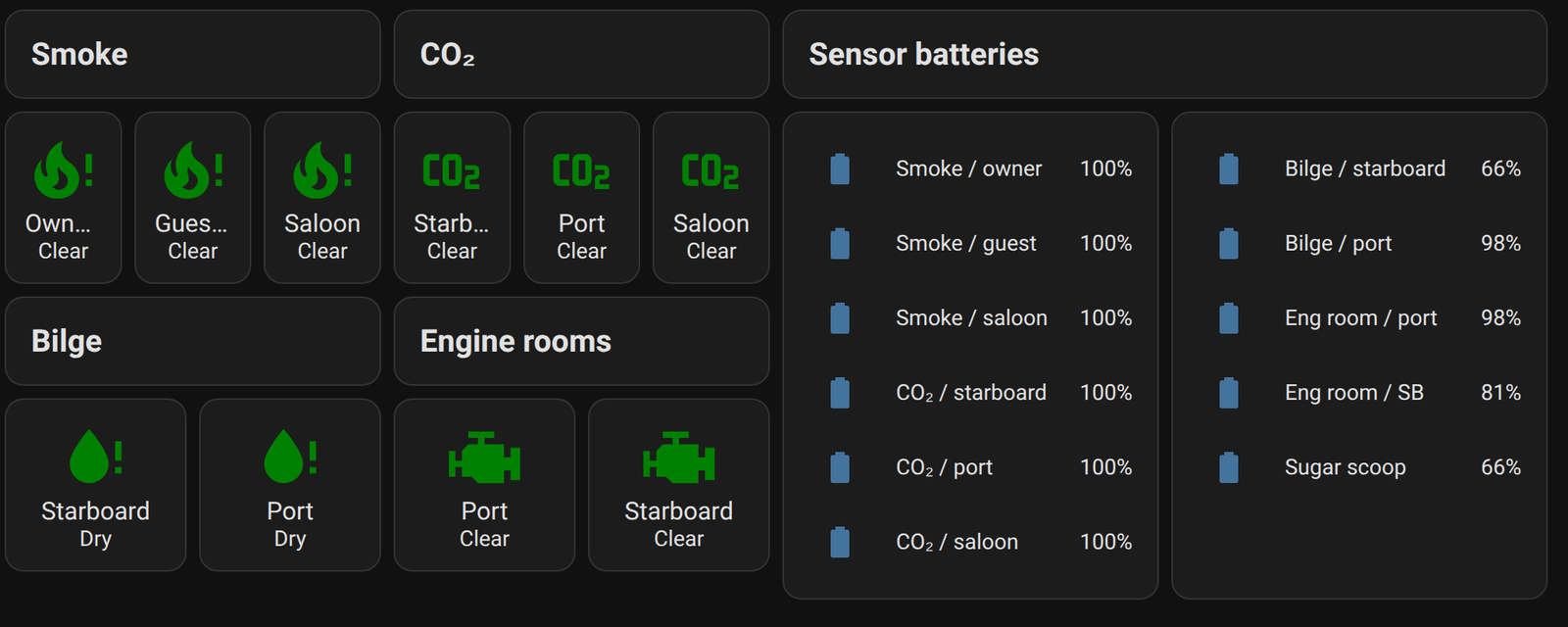
None of this is the safety layer. The smoke and CO detectors alarm on their own, locally, whether or not anything else aboard is running. Navigation runs on its own hardware. The bilge pumps don't ask permission from a dashboard. Every one of those systems works exactly the same if the whole monitoring stack is unplugged, and that's by design.
What we've built is a second set of eyes on top of systems that already stand alone. It's very good at catching the slow, quiet problems that nothing else aboard is watching for. It is not, and must never be, the thing between you and an elevated CO level.
The screen itself
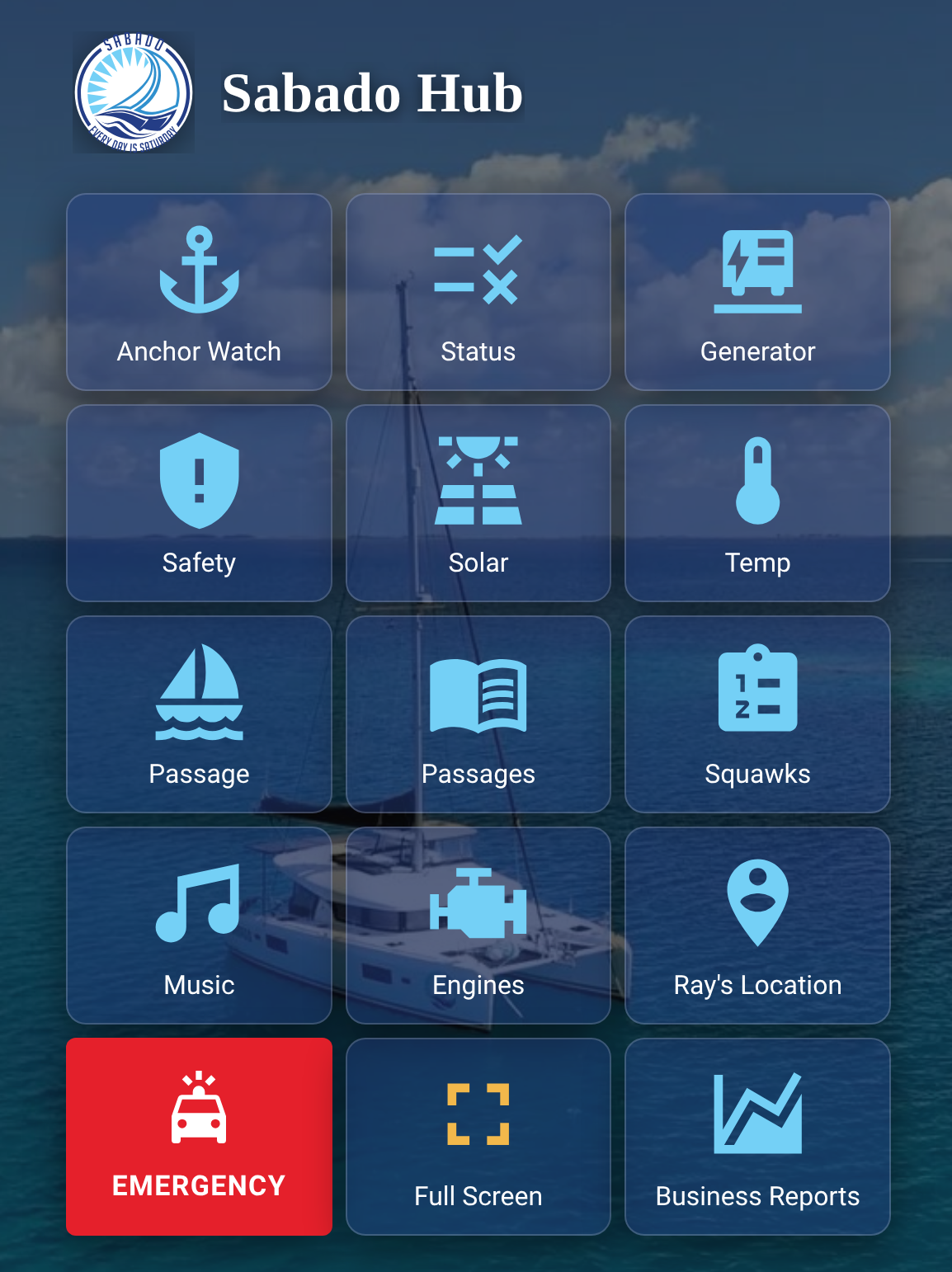
All of this lands on a hub dashboard that's almost entirely buttons. Anchor Watch. Engines. Generator. Safety. Solar. Temps. Passage log. Squawks, which is our running list of things aboard that need fixing. It's the default view, and its job is to be boring.
The design constraint is that the status page should be readable at a glance and navigable with a wet thumb. No dense grids, no tiny type, no information that requires you to already know what you're looking at. If you have to lean in to read it, it has failed.
What we'd tell anyone starting this
Start with the question, not the sensors. Ours was "are we okay?" Yours might be different. But build backwards from the question you actually ask yourself, because that's the only moment the system truly has to work.
Then be ruthless about false alarms. Every red tile you learn to ignore erodes the value of every other red tile. And treat a silent sensor as a failed sensor, because on a boat, it usually is.
Where this series goes next
This post is the result. The next several are how we got here, and more importantly, what we choose to leave out.
Coming up: why an alarm you ignore is genuinely worse than no alarm at all, and what hospitals and offshore platforms learned about that the hard way. How we sort every number aboard into a handful of categories, and why that decides whether it earns a place on the screen. Why power is the one system that pays for the whole effort. Why engine data, wind, depth and AIS mostly don't. What changes when nobody's aboard. And the problem we still haven't solved, which is how the monitoring system is supposed to tell you it has died.
Somewhere in there we'll also pull apart the generator monitoring, an ESP32 running ESPHome that turned out to be one of the highest value projects aboard for the money.
If there's a piece of this you want covered in detail, tell us in the comments.
We’ve made all these status cards available to our Crew in case you want to give this a try. We would love to hear from anyone implementing this or a similar system so reach out and let us know.